
Different Types of PS2 BIOS Files (What They Are, Why They Matter, and Which One You Actually Need)
If you’ve ever installed PCSX2 (or even AetherSX2 back when it was actively maintained) and wondered “Why is everyone talking about BIOS files?”—you’re asking the right question.
I’ve set up PS2 emulation more times than I can count (on Windows and Linux, across different PCs and game libraries), and I can tell you from experience: choosing the right PS2 BIOS file is the difference between “everything just works” and “why is this game a black screen?”
This guide explains PS2 BIOS types which differ according to regional requirements and SCPH console models and different formats. The guide will help you select the appropriate BIOS for your setup without requiring any untrustworthy or dangerous methods.
Important: The PS2 BIOS is copyrighted Sony software. The legal/safe approach is to dump (extract) the BIOS from a PlayStation 2 that you personally own. I’m not going to point you to download sites or “BIOS packs,” because that’s usually illegal—and honestly, it’s one of the easiest ways to infect your PC.
What a PS2 BIOS does (and why emulators need it)
The BIOS is the PS2’s firmware, the low-level system software that initializes the console and provides core services to games.
On a real PS2, the BIOS handles things like:
- booting the system and showing the PS2 startup sequence
- memory card management
- system configuration (language, time, screen position)
- region checks and console identity
- providing system-level functions games rely on
The main point shows that PCSX2 functions as a PS2 emulator which requires BIOS to operate like an actual console which users expect from video games.
The reason PCSX2 lacks a built-in BIOS system is because Sony maintains its BIOS as proprietary software while PCSX2 operates as a legal product.
The three “main types” of PS2 BIOS files you’ll hear about
When people say “different PS2 BIOS types,” they usually mean one (or more) of these categories:
- Region-based BIOS (USA/Japan/Europe)
- Model-based BIOS (SCPH-10000, 30000, 50000, 70000 slim, 90000, etc.)
- How the BIOS was obtained (dumped cleanly vs modified/unknown)
And then there’s a fourth “practical” category that causes setup issues:
- File format/packaging (.bin vs zipped archives, multi-file dumps, etc.)
Let’s break these down properly.
Region-based BIOS: NTSC-U, NTSC-J, PAL (and why region matters)
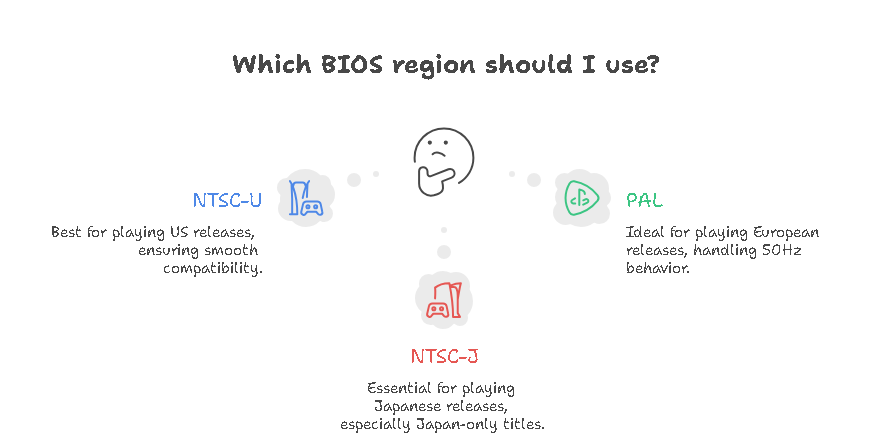
This is the big one. If you only remember one thing from this page, remember this:
Match your BIOS region to your game region whenever possible.
The 3 common PS2 BIOS regions
- NTSC-U (USA / North America)
- NTSC-J (Japan)
- PAL (Europe / UK / many other regions)
These regions originally mattered because of:
- video standards (60Hz NTSC vs 50Hz PAL in many games)
- region locking on original discs
- differences in system language defaults and menu behavior
1) NTSC-U (USA) BIOS
If you mainly play US releases, this is typically the smoothest choice.
You’ll often see BIOS filenames referencing model numbers like:
- SCPH-39001 (common US fat model reference)
- SCPH-30001, SCPH-50001, etc.
In my own setup, if someone tells me “I’m playing mostly US ISOs,” I usually start by making sure they’re using an NTSC-U BIOS, because it cuts out a whole category of weird compatibility questions.
2) NTSC-J (Japan) BIOS
This is essential if you’re playing Japanese releases—especially:
- Japan-only titles
- older Japanese games that assume Japanese system behavior
- games with strict region checks
You’ll often see early Japanese BIOS references like:
- SCPH-10000 (very early Japanese model series)
If you’re into Japanese PS2 classics, having an NTSC-J BIOS available is genuinely useful.
3) PAL (Europe) BIOS
PAL BIOS is best for European releases. You’ll often see references like:
- SCPH-70004 (common Europe slim reference)
- SCPH-50004, etc.
PAL games sometimes default to 50Hz behavior (depends on the title). PCSX2 can handle a lot of this, but again—matching region keeps things simpler.
Why region mismatch causes problems
When you use a BIOS from a different region than your game, you may run into:
- black screens on boot (especially on titles with strong region checks)
- incorrect refresh rate behavior (50Hz vs 60Hz feeling “off”)
- strange timing issues in some games
- language/system menu inconsistencies
Does mismatch always break things? No. But when you’re troubleshooting, region mismatch is one of the first things I check because it’s easy to fix.
Model-based BIOS: SCPH series (fat vs slim and why it sometimes matters)
Now let’s talk about SCPH numbers, because you’ll see them everywhere.
Sony labels PS2 consoles with SCPH model numbers. The BIOS is tied to those models, and some BIOS revisions include hardware-related updates.
Common SCPH “families” you’ll hear about
- SCPH-10000 series
Early Japanese launch models. Historically interesting, sometimes used for maximum “early PS2 accuracy.” - SCPH-30000 series
Very common fat PS2 era. Generally good compatibility. - SCPH-50000 series
Later fat models with refinements. Often reliable in emulation. - SCPH-70000 series (Slim models)
Slimline generation. BIOS revisions reflect updated internals. - SCPH-90000 series
Late slim models. Newer BIOS revisions; generally stable.
Does the console model BIOS affect PCSX2 compatibility?
In day-to-day use: sometimes.
Most people won’t need to obsess over model numbers. But I have personally seen cases where:
- one BIOS revision booted a specific game more reliably than another
- a newer BIOS handled certain system behaviors better
- a user had issues that disappeared after switching to a different BIOS from the same region
So I treat model-based BIOS selection as a troubleshooting tool and a fine-tuning option, not something you need to stress about on day one.
Version differences: older vs newer BIOS builds
Within the same region, you’ll still find multiple BIOS versions. These reflect:
- bug fixes Sony made over the PS2’s lifespan
- updates to DVD playback or system functions
- minor behavioral changes
My practical advice
- Start with a mid-to-late BIOS for your region (often more stable)
- Keep one older BIOS around only if you hit a weird compatibility edge case
I recommend that you maintain two to three BIOS versions for each region which you want to emulate when creating your advanced emulation collection. The system operates like physical locks which require different keys to access various doors the main key opens most doors while the spare key unlocks one specific door.
Dumped BIOS vs modified BIOS (security + stability)
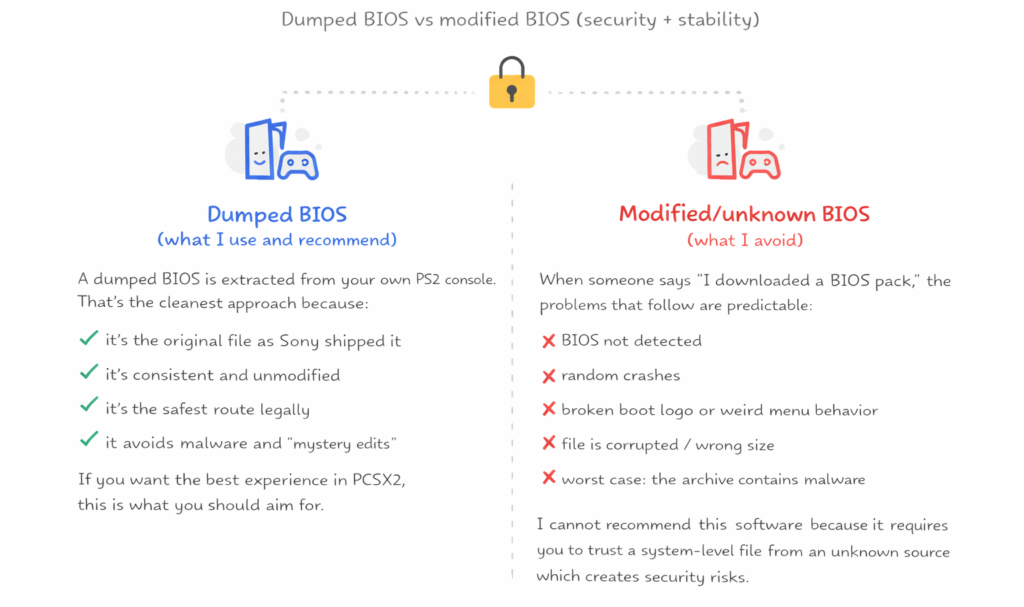
This section is where I get a bit strict—because it’s your PC and your data.
Dumped BIOS (what I use and recommend)
A dumped BIOS is extracted from your own PS2 console. That’s the cleanest approach because:
- it’s the original file as Sony shipped it
- it’s consistent and unmodified
- it’s the safest route legally
- it avoids malware and “mystery edits”
If you want the best experience in PCSX2, this is what you should aim for.
Modified/unknown BIOS (what I avoid)
When someone says “I downloaded a BIOS pack,” the problems that follow are predictable:
- BIOS not detected
- random crashes
- broken boot logo or weird menu behavior
- file is corrupted / wrong size
- worst case: the archive contains malware
I cannot recommend this software because it requires you to trust a system-level file from an unknown source which creates security risks.
BIOS file formats and what PCSX2 actually expects
This part causes a lot of confusion because people think a BIOS is always “one file.”
Common BIOS-related file extensions you may see
- .bin / .rom
Typically the core BIOS ROM dump format PCSX2 can use. - Multiple files in a full dump
Depending on how you dump your BIOS, you may also see things like:- ROM0, ROM1
- EROM
- NVM (non-volatile memory/settings)
- MEC (mechanism controller data)
PCSX2 usually needs the main BIOS ROM file, but some full dumps include multiple supporting files that improve accuracy. If your dumper produced multiple files, keep them together in the same BIOS folder.
Compressed formats: .zip, .7z, .gz
PCSX2 typically expects the BIOS to be extracted.
So if your BIOS is inside a ZIP:
- extract it first
- then point PCSX2 to the folder with the extracted BIOS files
A super common mistake is leaving the BIOS in a compressed archive and wondering why PCSX2 can’t see it.
Where to place BIOS files in PCSX2 (and how I organize mine)
PCSX2 can be installed in different ways (portable vs standard install), so the exact folder can vary. But my organization method stays the same:
My folder structure (simple and clean)
I create a folder like:
PCSX2-BIOS/
- NTSC-U/
- PAL/
- NTSC-J/
Inside each region folder, I keep the BIOS files and label them clearly (including SCPH number). That way, when PCSX2 asks me to choose, I know exactly what I’m selecting.
The most important rule
Wherever you keep it, point PCSX2 to that BIOS directory inside Settings → BIOS.
If PCSX2 doesn’t detect the BIOS:
- the path is wrong, or
- the BIOS is still compressed, or
- the file isn’t actually a valid BIOS dump
How to choose the right BIOS for your games (my quick method)
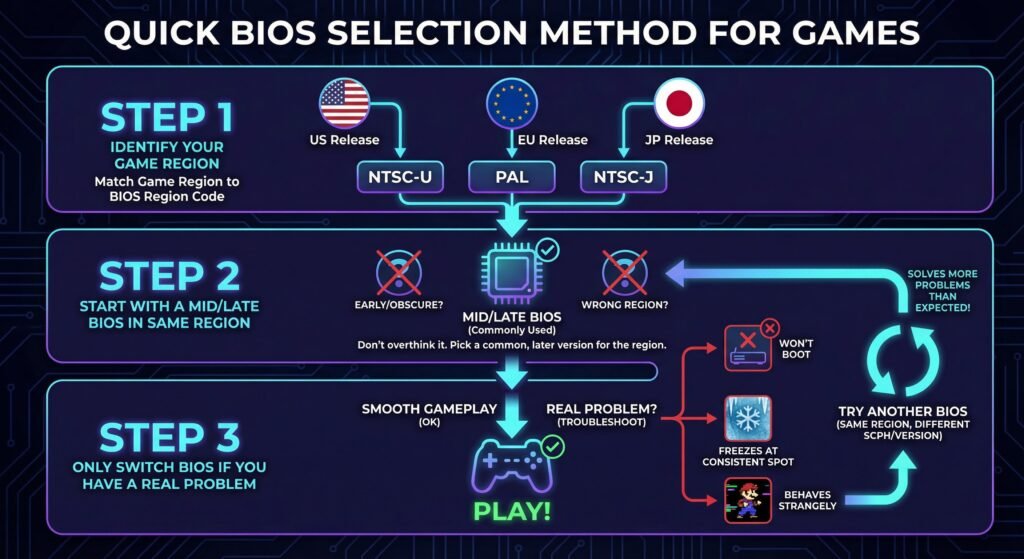
If you want a fast, practical way to choose:
Step 1: Identify your game region
- US release → NTSC-U
- EU release → PAL
- JP release → NTSC-J
Step 2: Start with a mid/late BIOS in the same region
Don’t overthink it. Pick a commonly used BIOS from that region.
Step 3: Only switch BIOS if you have a real problem
If the game:
- won’t boot,
- freezes at a consistent spot,
- behaves strangely compared to known gameplay,
…then try another BIOS from the same region (different SCPH series/version). This solves more problems than people expect
Legal reality: what’s allowed and what’s not
Let me keep this clear and honest:
- Emulators like PCSX2 are legal.
- Sony’s PS2 BIOS is copyrighted.
- The safest legal method is to dump the BIOS from your own PS2 console.
That’s why PCSX2 doesn’t include BIOS files—because distributing them would create legal problems.
If you already own a PS2, dumping your BIOS is a one-time job and then you’re set.
FAQs
Do I need multiple BIOS files?
Not strictly. If you only play games from one region, one BIOS is usually enough.
But I like having at least one extra BIOS for troubleshooting.
Will a “newer BIOS” make games faster?
Usually no. Performance is more dependent on your CPU/GPU and PCSX2 settings. BIOS choice is mostly about compatibility and correct behavior.
Can I use a PAL BIOS for US games (or the other way around)?
Sometimes it boots, sometimes it doesn’t. Even when it boots, you can run into odd issues. If you want fewer headaches, match BIOS region to game region.
Why does PCSX2 say “BIOS missing” when I clearly have a file?
In my experience, it’s usually one of these:
you pointed PCSX2 to the wrong folder
the BIOS is still zipped
the file is not a real BIOS dump (wrong size/format)
permissions issue (rare, but possible)
What’s the safest way to get a PS2 BIOS?
Dump it from your own PS2. If you want, I can also rewrite this into a step-by-step “dumping guide” specifically for your site structure on kuwaitsexpat.com (with clear screenshots/sections), but the core rule stays the same: use your own console.